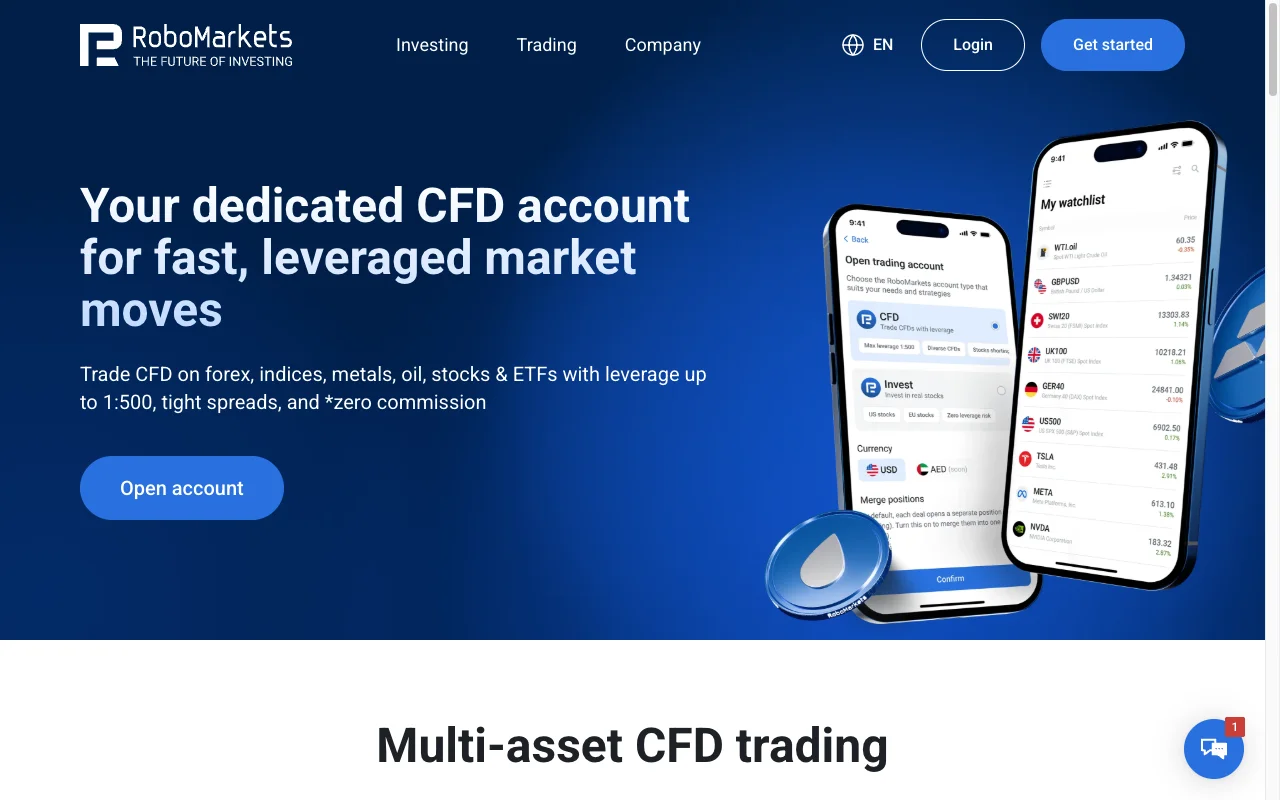
RoboForex and RoboMarkets from A to Z: accounts, real costs and the first 30 days
This is the practical part: which account types exist, what each one really costs, how verification works, which platform is worth your time, and the order in which to do things so you do not pay for the same mistake twice. Every figure below comes from the brokers' own account, fee and help pages as of July 2026 — the tables on comparison sites are largely built from pre-2025 data and no longer match reality in the EU.
Step 1: work out which company you are dealing with
Nothing else in this guide makes sense until this is settled, because the two halves of the group sell different products.
- EU/EEA residents deal with RoboMarkets Deutschland GmbH (BaFin register 10154068). Product range: stocks and ETFs. Leveraged FX and CFDs for retail clients in the EU ended on 30 December 2024.
- Everyone else, minus roughly twenty excluded countries, deals with RoboForex Ltd (FSC Belize, licence 9759600). Product range: CFDs, FX, metals, indices, crypto CFDs, real stocks, leverage up to 1:2000.
If you are unsure which one applies to you, or why one brand has two completely different offerings, the entity map is covered separately in RoboForex vs RoboMarkets — which company actually opens your account.
RoboForex account types, side by side
Five account types, all with the same 10 USD entry except the stock account. The differences that matter are the cost model and the leverage ceiling.
| Prime | Pro | ProCent | ECN | R StocksTrader | |
|---|---|---|---|---|---|
| Minimum deposit | 10 USD/EUR | 10 USD/EUR | 10 USD/EUR | 10 USD/EUR | 100 USD |
| Spread | floating from 0 pips | from 1.3 pips | from 1.3 pips | floating from 0 pips | from 0.02 USD |
| Commission | yes, per 1M USD volume | none | none | yes, per 1M USD volume | none |
| Max leverage | 1:300 | 1:2000 | 1:2000 | 1:500 | 1:500 |
| Instruments | 28 FX pairs, metals, CFDs on US stocks, indices, oil | as Prime + crypto CFDs | 28 FX pairs, metals, crypto CFDs | as Pro | 12,000+: real stocks, stock CFDs, ETFs, indices, FX |
| Cashback | up to 10% of commission | fixed rebate | fixed rebate | up to 10% of commission | not available |
| Interest on balance | up to 10% | up to 10% | up to 10% | up to 10% | not available |
| Swap-free | Available on all account types since February 2026 | ||||
How to read this without getting caught. "Spread from 0 pips" on Prime and ECN does not mean free — those accounts move the cost into a commission charged per million of turnover. Pro and ProCent bundle everything into a 1.3-pip spread and charge nothing on top. Which is cheaper depends entirely on your volume: high-frequency, high-volume trading favours the commission model, occasional trading favours the spread model. ProCent is denominated in cents, which is genuinely useful for testing a strategy with real execution but a trivial amount of money at risk.
Copy Trading has its own entry requirement: 100 USD minimum deposit, not 10.
The EU account: Prime Stocks and ISK
The current retail offer at RoboMarkets Deutschland is short, which makes it easy to evaluate.
| Prime Stocks | ISK (Investment Savings Account) | |
|---|---|---|
| Who it is for | All EU/EEA residents in the 27 permitted countries | Clients resident in Sweden only |
| Minimum deposit | 100 EUR | 100 EUR or equivalent |
| Account currencies | EUR, USD, CHF, CZK, SEK | USD, EUR, SEK |
| Transaction cost | from 0.075% per order, charged as a mark-up on the market price | from 0.075%, no minimum commission |
| Leverage | cash account, or margin 1:2 | 1:1 only |
| Short selling | margin accounts only | no |
| Custody / maintenance | free | free |
| Market data | free | free |
| Platforms | R StocksTrader (web, iOS, Android), TradingView, API | R StocksTrader, TradingView |
| Markets | Xetra 09:00–17:30 CET, NYSE/NASDAQ 15:30–22:00 CET, other EU venues 09:00–17:30 | US and European stocks and ETFs |
Two things are easy to misread here.
"Zero commission" is not zero cost. RoboMarkets says so itself in the ISK fee explanation: the transaction cost "is charged as a mark-up on the market price". You will not see a commission line on your statement; you will see a slightly worse fill. Since the cost is a percentage rather than a flat fee, whether it is cheap depends entirely on your order size — so here is the arithmetic, which no comparison table will do for you:
| Order size | Cost one way (0.075%) | Round trip (buy + sell) |
|---|---|---|
| 500 EUR | 0.38 EUR | 0.75 EUR |
| 1,000 EUR | 0.75 EUR | 1.50 EUR |
| 2,000 EUR | 1.50 EUR | 3.00 EUR |
| 5,000 EUR | 3.75 EUR | 7.50 EUR |
| 10,000 EUR | 7.50 EUR | 15.00 EUR |
| 20,000 EUR | 15.00 EUR | 30.00 EUR |
The break-even points against a flat-fee broker, which is the number actually worth knowing before you switch:
- A broker charging 1 EUR per order becomes cheaper above an order size of about 1,333 EUR.
- At 3 EUR per order, the crossover is about 4,000 EUR.
- At 5 EUR per order, about 6,667 EUR.
- At 10 EUR per order, about 13,333 EUR.
Read that as a rule: if you buy in small, regular amounts, the percentage model wins; if you place large single orders, a flat fee wins. Someone investing 300 EUR a month pays about 0.23 EUR per purchase here and would pay 5 EUR at a flat-fee broker — a 20-fold difference. Someone deploying 15,000 EUR at once pays 11.25 EUR here against 5 EUR there. There is no universally cheaper option; there is only your order size.
US ETFs on the ISK require professional client status. This is a consequence of EU rules on key information documents, not a RoboMarkets policy, and it applies at every EU broker. The Swedish ISK wrapper itself is taxed at a flat rate — 1.065% of account value for 2026 — and RoboMarkets reports the capital base to Skatteverket, so you do not itemise individual trades.
What it actually costs to get money in and out
Trading costs get all the attention; payment costs quietly eat more from small accounts. Both entities charge 0% on deposits. Withdrawals are where the money goes.
RoboForex withdrawals
| Method | Fee | Processing | Limits |
|---|---|---|---|
| Local bank transfer | up to 4% | up to 1 day | up to 20,000 USD |
| VISA / MasterCard / JCB | up to 2.6% + 1.3 USD | up to 10 days | 10–10,000 USD |
| STICPAY | 2.5% + 0.3 USD | up to 1 day | 10–49,999 USD |
| Neteller | 1.9% | up to 1 day | 5–100,000 USD |
| Skrill | 1% | up to 1 day | 1–100,000 USD |
There is a legitimate way around most of this, and it is a calendar trick rather than a negotiation. RoboForex runs a free withdrawal programme: "Clients can withdraw funds from their Members Area without commission three times a month — on the second, third and fourth Tuesday of each calendar month, throughout the day (server time). This applies only to the first withdrawal on those days (for one withdrawal only)."
On a 2,000 USD card withdrawal that is the difference between paying about 53 USD and paying nothing. The two constraints people miss: it is the second, third and fourth Tuesday — never the first — and only the first withdrawal on each of those days is free. Splitting a payout into three transfers on the same Tuesday means paying full fees on two of them.
Requests are processed within two business days, 09:00–18:00 EET, and the company states that up to 93.2% of withdrawal requests are handled automatically.
RoboMarkets EU withdrawals
| Method | Fee | Processing | Limits |
|---|---|---|---|
| Bank transfer (Mano Bank, EUR) | 0% | up to 3 days | from 50 EUR |
| Bank transfer (Raiffeisen — SEK/USD/EUR) | 0% | up to 5 days | 50–1,000,000 |
| Bank transfer (PPF Banka, CZK) | 0% | up to 5 days | 1,200–10,000,000 CZK |
| Barclays (CHF) | 0% | up to 5 days | 50–1,000,000 CHF |
| Zimpler (SEK/DKK/EUR) | 2.8% | up to 1 day | 10–100,000 EUR |
| VISA / MasterCard | 2% + 1 EUR | 1–10 banking days | up to 10,000 USD |
The rule on the EU side is simple: use a bank transfer and pay nothing. Cards cost 2% plus a euro for the convenience of not typing an IBAN. Deposits arrive in segregated accounts of RoboMarkets Ltd in Limassol, Cyprus, which is the platform provider behind the German entity.
The EU entry point
100 EUR minimum, no custody fee, free market data, 0% on bank withdrawals, 0.075% per order. Verification via PostIdent or a local equivalent.
Open a RoboMarkets EU accountInvesting in securities carries the risk of substantial capital loss.
Opening and verifying the account
The sequence is the same at both entities, and the order matters more than people expect.
- Register the Members Area with name, email and phone. Confirm the email.
- Verify your identity — passport or national ID.
- Verify your address — a proof of residence document. At RoboMarkets it must be no older than six months; verification runs through PostIdent in Germany or a local equivalent elsewhere.
- Only then open the trading account and choose type, currency and leverage.
- Then deposit.
RoboForex states that verification normally takes up to two days, and — the sentence worth remembering — "funds withdrawal is only available to verified clients, as stated in Clause 3.1 of the Client Agreement". Depositing first and verifying later is the single most common way people end up with money they cannot move.
One more irreversible choice sits in step 4. Per the official FAQ: "Is it possible to change the base currency or the type of my account? No, it's not. To change the type or the base currency of the account, you have to open a new account with required parameters." Pick the currency you will actually fund and withdraw in. If your bank account is in euros and you choose USD, you will pay a conversion spread twice on every round trip.
Which platform to use
- MetaTrader 4 (RoboForex only) — choose it only if you depend on a specific Expert Advisor written for MT4. Everything else about it is dated.
- MetaTrader 5 (RoboForex only) — the sensible default for FX and CFDs: better order types, netting or hedging accounts, a working strategy tester.
- R StocksTrader — the group's own platform and the only one available on the EU side. Web plus iOS and Android, 12,000+ instruments on the RoboForex version, a visual strategy builder with 40+ indicators that does not require code, individual news feeds per instrument.
- TradingView integration — available on both sides. You keep TradingView's charting and place orders straight from the chart against your broker account. If you already live in TradingView, this removes the main reason to tolerate a weaker native platform.
A free VPS is available at RoboForex when account equity is at least 300 USD, and a sponsored MetaQuotes VPS for MT5 when you deposit 500 USD — relevant only if you run automated strategies that must stay online.
Copy trading: how the money actually flows
RoboForex's Copy Trading is the group's main draw for people who do not want to trade themselves, and it has one mechanic that surprises investors at withdrawal time.
The usual model is a Performance Fee: you pay the strategy provider a percentage of the profit generated on your account. From the official FAQ: "The commission amount is reserved on your account (not immediately transferred to the Trader). It's only transferred to the Trader at the end of the investment period or when you unsubscribe."
Which produces this, also from the FAQ: "Why can't I withdraw profit from my Investor account? This can happen if part of your funds is reserved for the Trader's commission. These funds are temporarily locked and not available for withdrawal or transfer until they're paid to the Trader."
Two more practical points before subscribing:
- Leverage and currency do not have to match between the trader's account and yours — but if they differ, your margin requirements and your results will differ too. A strategy that survives a drawdown at 1:100 can be stopped out at 1:500 on the same price move.
- Copy Trading needs 100 USD minimum, and commission terms are published per strategy before you subscribe. Read the fee model, the drawdown history and the age of the account, in that order.
The 30-day checklist
- Day 1. Confirm which entity serves your country. Check the licence number in the footer of the site you are actually on.
- Day 1. Complete identity and address verification before depositing anything. Use a proof of address under six months old.
- Day 2–3. Wait out verification (typically up to two days) rather than funding in parallel.
- Day 3. Choose account currency to match your bank account. This cannot be changed later.
- Day 3. Make the first deposit by bank transfer — 0% on both sides — not by card.
- Week 1. On the CFD side, trade the smallest size the platform allows for a full week and record real spreads and slippage at the hours you actually trade. On the stock side, place one small order and compare the fill against the exchange price to see the 0.075% mark-up in practice.
- Week 2. If using MT5, connect TradingView or set up the strategy tester before scaling size.
- Week 3. Test a withdrawal with a small amount. On the RoboForex side, do it on the second, third or fourth Tuesday and make it your first withdrawal of the day so it is free. This tells you whether your documents are truly in order while very little is at stake.
- Week 4. Only now decide on real size, and write down the maximum you are prepared to lose before you do.
Frequently asked questions
What is the minimum deposit?
RoboForex: 10 USD or EUR for ProCent, Pro, Prime and ECN; 100 USD for R StocksTrader and for Copy Trading. RoboMarkets EU: 100 EUR for Prime Stocks and for the ISK.
Is there an inactivity fee?
Neither entity publishes an inactivity or dormancy charge in its current fee tables, and RoboMarkets states account maintenance is free. Third-party review sites disagree on this point, so check your Members Area fee page before leaving an account idle for a year.
How long does a withdrawal take?
RoboForex processes requests within two business days between 09:00 and 18:00 EET; the payment system then adds its own time, up to 10 days for cards. RoboMarkets EU bank transfers take up to 3–5 days, cards 1–10 banking days.
Can I change my account currency later?
No. Both entities require you to open a new account with the parameters you want. The same applies to the account type.
Do I need MetaTrader for the EU stock account?
No — MT4 and MT5 are not part of the EU offering. You use R StocksTrader or trade through the TradingView integration.
About the Author
Related Posts
RoboForex vs RoboMarkets: which company actually opens your account — and what changes because of it
Four companies, four licences, four country lists. Your residence decides which one opens your account, whether you can trade CFDs at all, and how much of your money is actually protected.
3 mistakes that cost the most on RoboForex and RoboMarkets — and how to avoid each one
None of these are trading mistakes — they are administrative ones, which is why they are so common. Each has a number attached and takes ten minutes to avoid.
Who holds your money and who files your taxes at RoboForex and RoboMarkets
The company you contract with is not always the company holding your cash — and in almost every country the group reports nothing on your behalf.
RoboForex – A quick overview of a broker. Is investing here reliable and safe?
RoboForex is an international broker that has been around for more than a decade. The broker is based in Cyprus and was founded in 2009. It is regulated in Belize by the IFSC (International Financial Services Commission) to provide trading facilities in securities and commodity-based derivatives. Almost 12 years into the business, RoboForex now has…
Crypto.com – what does this platform offer? Should you make an account there? Your reviews
Practically everyone has heard of cryptocurrencies, whether they actively use them or are indifferent to them. Are you one of the former? Then you surely are constantly looking for places to safely trade your cryptocurrencies.
Comments
No comments yet. Be the first to share your thoughts!
Leave a Comment